Starter
Free trial$199
per month
- 1 active repository entitlement
- 10 active processing PRs in queue per repository
- Unlimited users
- 1-month free trial
Managing PRs in a monorepo is a nightmare
First PR merges, everyone else needs to update their branch
Constantly updating branches and re-running tests manually
Teams keep re-running branch updates and merge validation after every base change
GitQueue manages your PR merge lanes intelligently
GitQueue manages explicit merge lanes, re-checks fresh GitHub state before merging, updates stale branches automatically, and keeps work moving when a PR is temporarily not merge-ready.
Everything you need to manage merge lanes at scale
Control merge lanes directly from PR comments. Use /gitqueue add, remove, status, clear, block, and unblock without leaving GitHub.
Five explicit lanes from highest to lowest. Critical fixes jump ahead while lower-priority work keeps its own place and does not rewrite the whole queue.
GitQueue tracks exactly three gates: Checks, Approval, and Freshness. Freshness warns trigger branch updates, pending gates wait in place, and failures move to lane end.
Admins control highest and admin commands, CODEOWNERS can use high, and write users can manage normal, low, and lowest lanes.
Each PR keeps one top-level GitQueue comment that switches between general and queued modes, includes Activity, and links to the repository queue page.
Repository-scoped visibility with GitHub OAuth authentication. See queued and processing PRs, gate states, failure reasons, and activity logs in one place.
Manage merge lanes with simple GitHub comments
/gitqueue addAdd PR to the lowest lane by default
/gitqueue add normalAdd PR to the normal ready-work lane
/gitqueue add highestAdd PR to the highest lane (admin only)
/gitqueue removeRemove PR from its current lane
/gitqueue statusRefresh queued PR status details
/gitqueue blockBlock repository lane processing (admin)
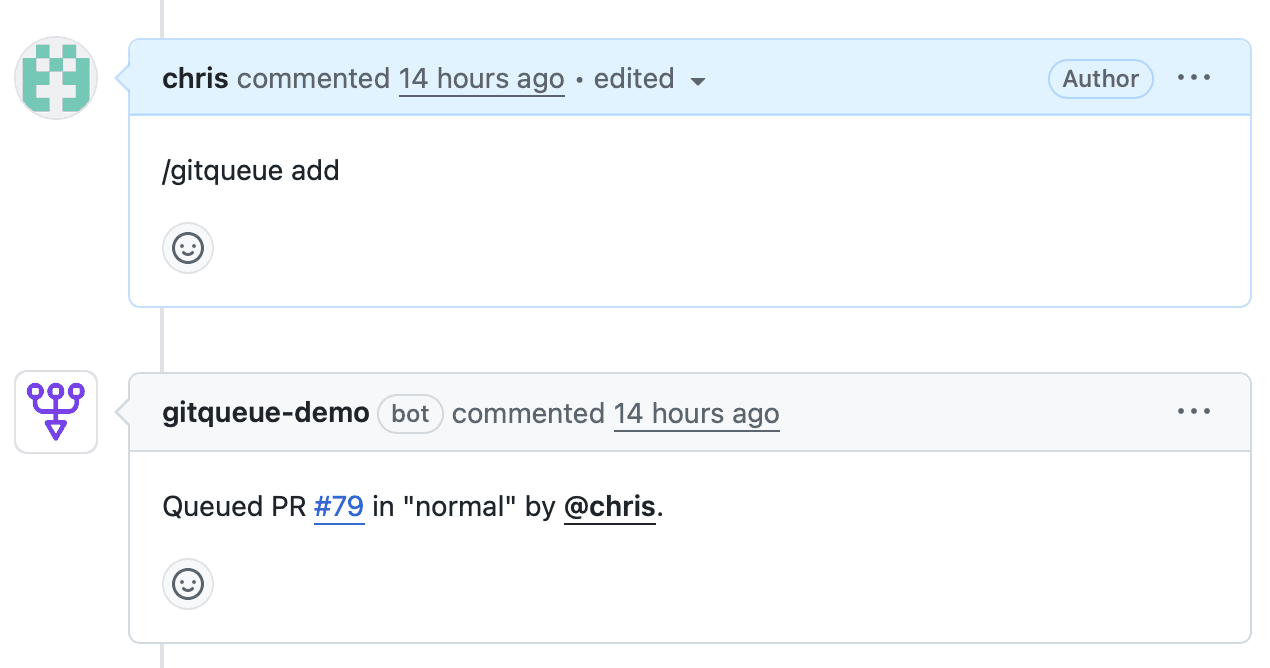
Add PRs to a lane with a simple comment
Five priority levels to match your workflow needs
Admin-only emergency lane for critical production fixes
High-priority lane reserved for repository CODEOWNERS
Ready-work lane for standard feature development
Ready-work lane for lower-priority improvements
Accepts PRs with pending or warming-up gate states
Fresh GitHub data decides what merges, waits, or moves to the end
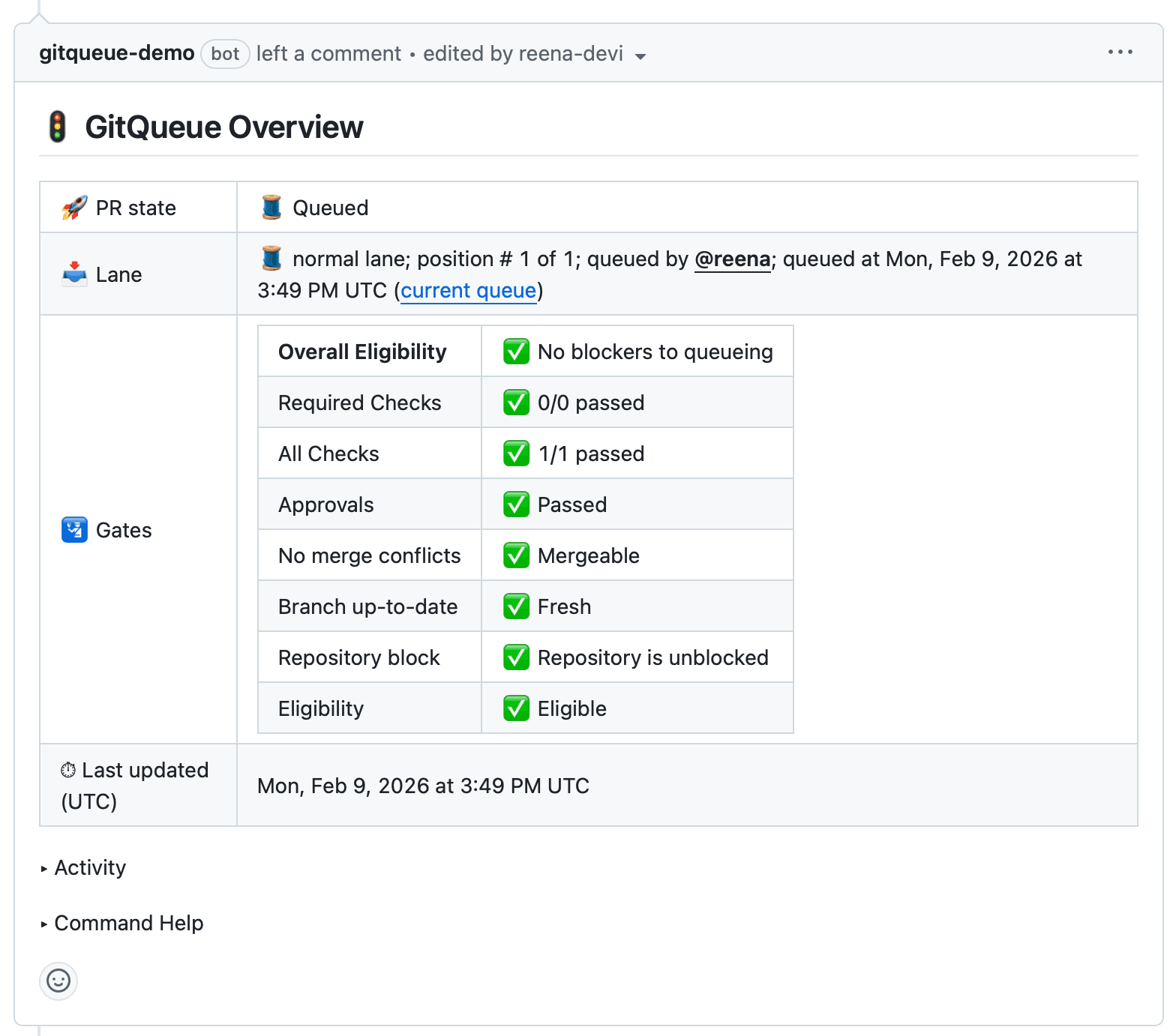
Real-time gate status in PR overview
Derived from GitHub merge state and required check contexts, including pass, warn, pending, and fail outcomes
Derived from GitHub reviewDecision and passes when GitHub has no blocking review state
Uses GitHub REST pull request data plus compare results to detect stale, pending, and failing branch states
When Freshness is warn, GitQueue automatically updates the branch and waits for the next processing cycle. Pending gate states keep the PR in place instead of treating it as a failure.
Real-time visibility into repository merge lanes
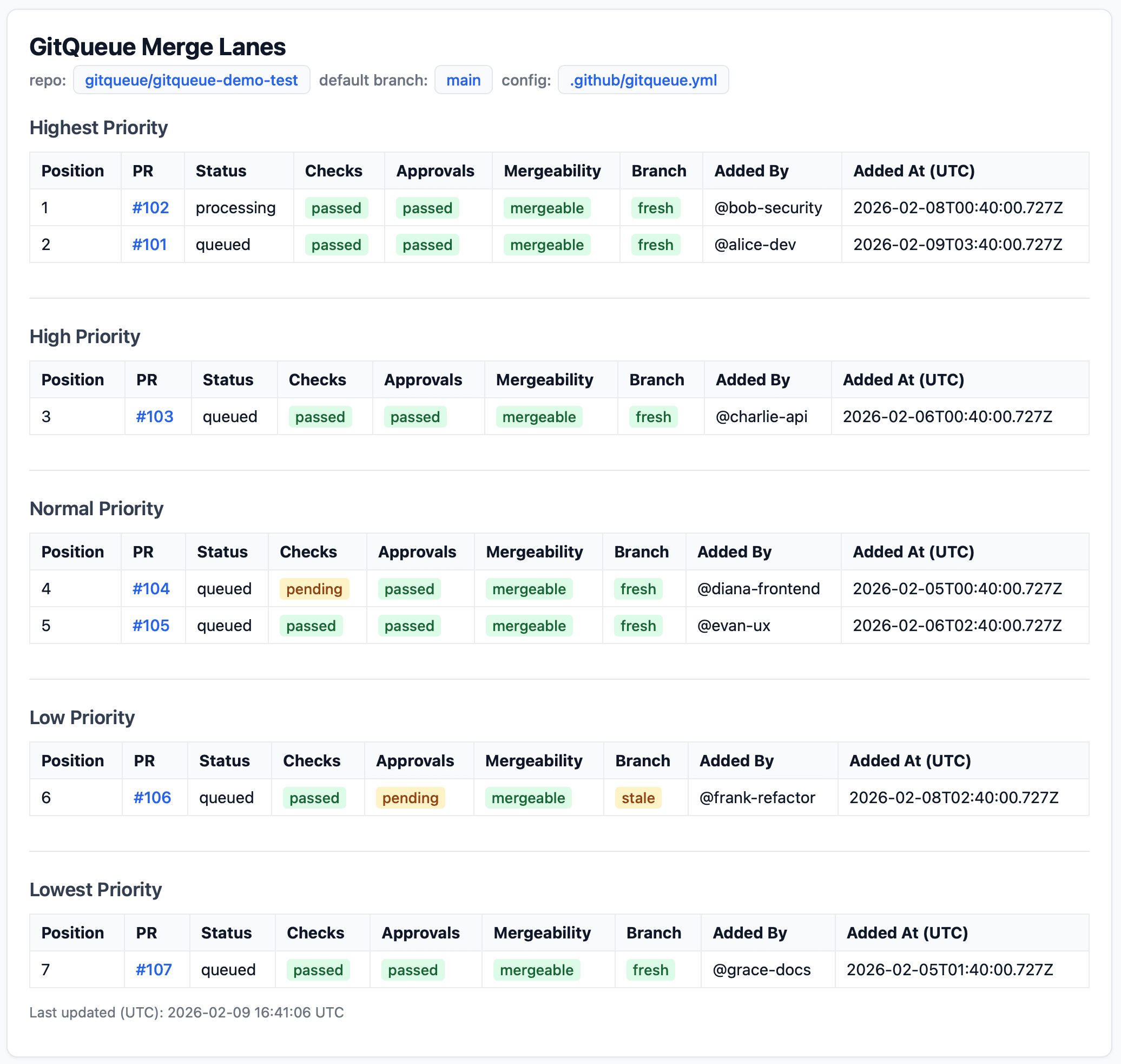
View queued and processing PRs for a repository on the web status page
Security and control based on GitHub repository roles
GitQueue posts one persistent overview comment with Command Help, activity history, and lane eligibility.
Comment to place the PR in a merge lane. /gitqueue add.
GitQueue processes lanes by priority. Each PR passes through Checks, Approval, and Freshness from fresh GitHub data before merging.
Passing PRs merge automatically. Stale branches stay in lane for retry; irrecoverable failures move to lane end for the next cycle.
GitHub Marketplace plans with repository entitlements and active PR limits per repository.
Real impact on your development workflow